ETCO2 User Manual
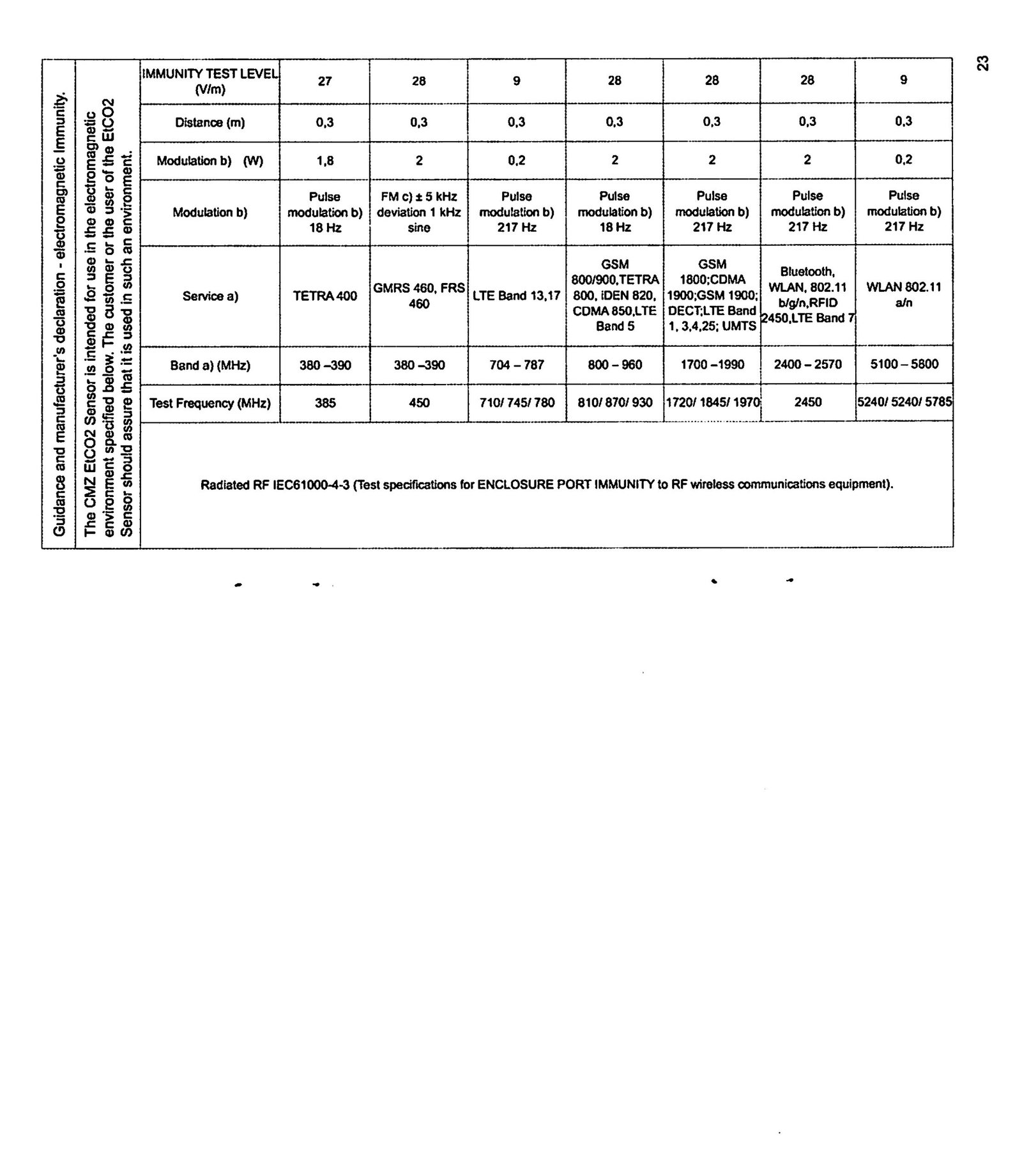
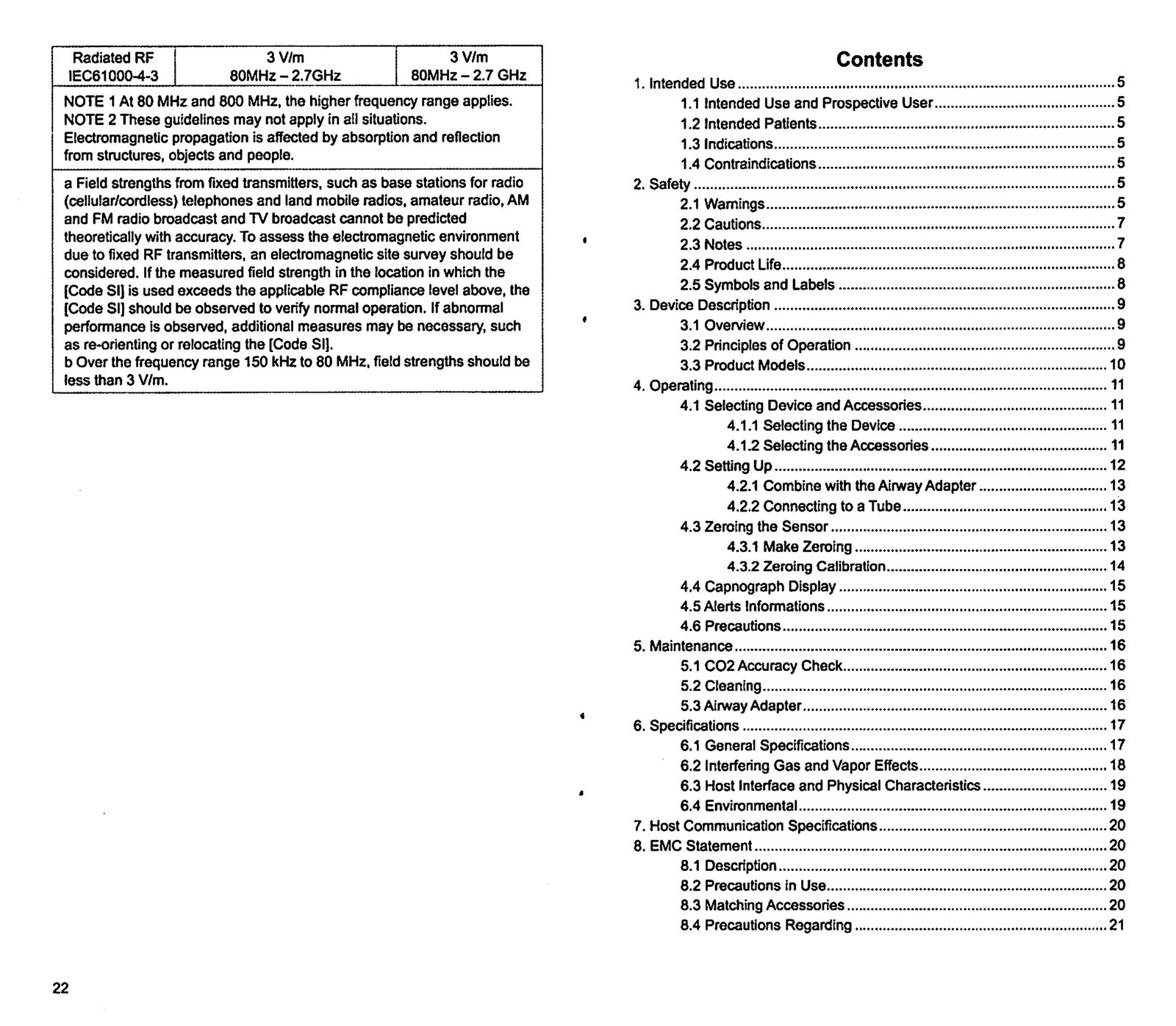
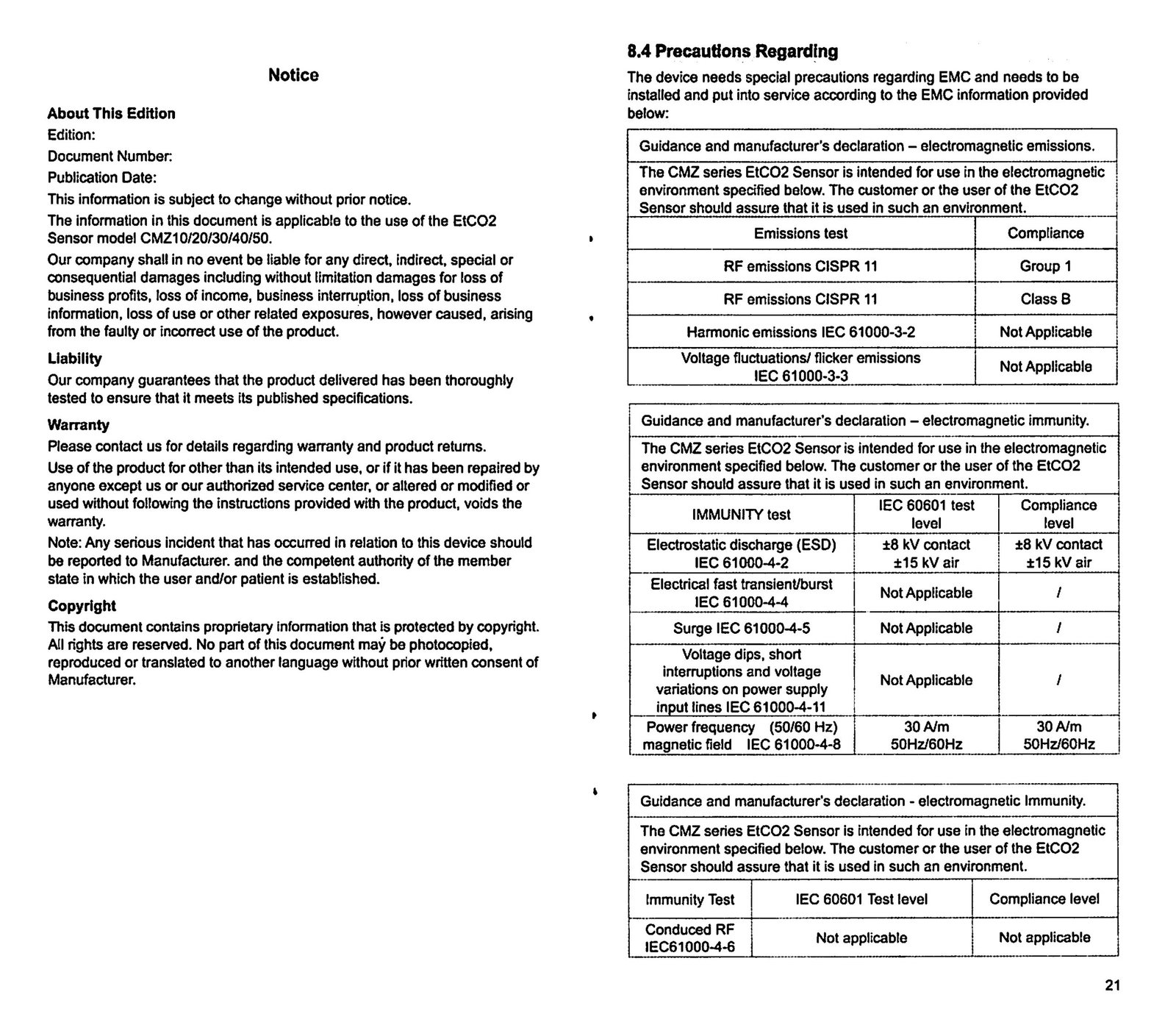
A web-organized version of the complete scanned Instructions for Use, including the original diagrams, dimensional drawings, tables, warnings, EMC information, and all twelve source pages.
1. Intended Use
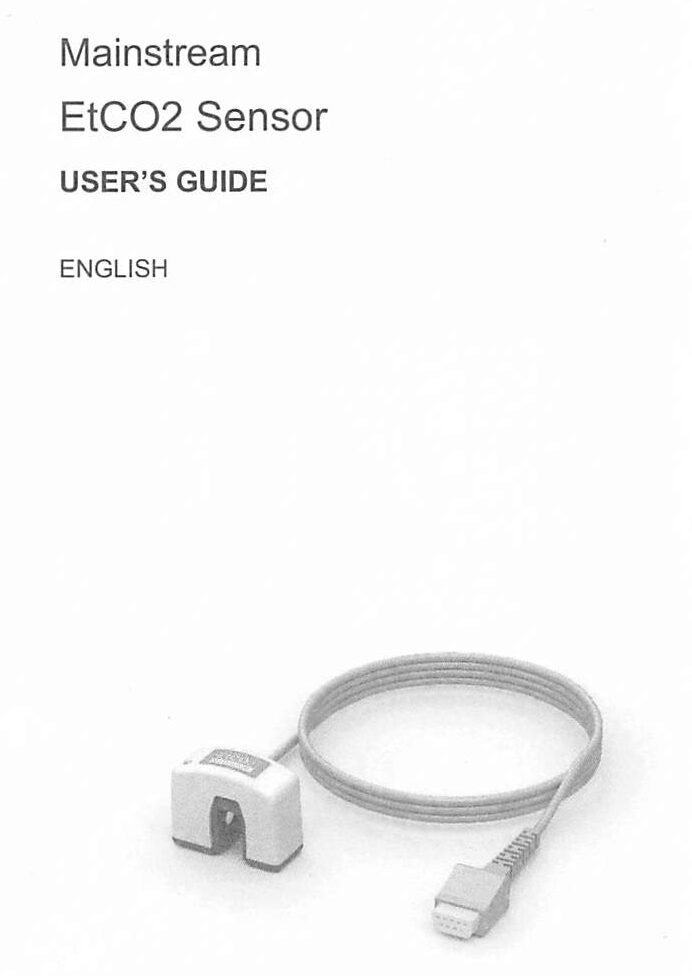
The EtCO₂ Sensor is intended to provide carbon dioxide and respiratory-rate monitoring to a host monitoring system, including a monitor or ventilator, during anesthesia/recovery, intensive care, transport, and emergency medicine/respiratory care.
Intended users and patients
For use by trained and authorized medical professionals with adult, pediatric, and infant patients.
Indications
Continuous noninvasive monitoring of end-tidal carbon dioxide and respiration rate in patients requiring ventilator support, transport, or anesthesia.
Contraindications
The IFU states that there are no absolute contraindications. Healthcare professionals should make decisions based on the patient’s clinical condition.
Device description
The mainstream sensor continuously measures CO₂ directly in the breathing circuit by infrared absorption and reports a capnogram, end-tidal CO₂ value, inspired CO₂ value, and respiratory rate to the connected host device.
2. Product Models and Compatibility
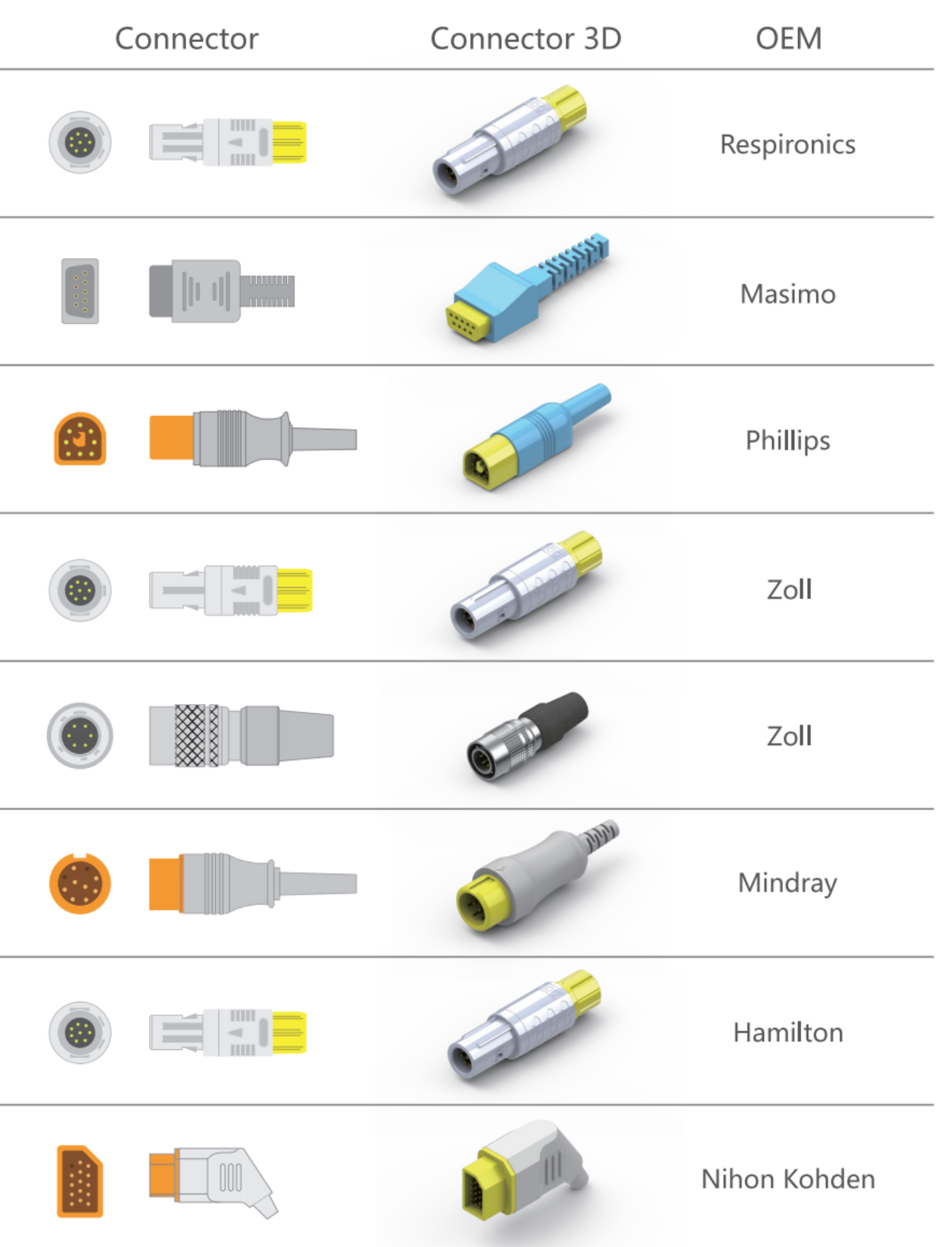
Use the exact connector and host-device compatibility specified for the ordered sensor model.
3. Selecting Accessories and Setting Up

Connect the sensor
Connect the EtCO₂ Sensor to the host monitor. Confirm that the monitor indicates the sensor is connected and review host-monitor calibration instructions.
Confirm pressure setting
Confirm that the monitor’s barometric pressure setting is correct.
Position the adapter
Place the adapter and sensor close to the patient when possible.
Use the correct adapter
Choose the appropriate pediatric/adult or infant/pediatric, disposable or reusable airway adapter based on patient size.
4. Airway Adapters and Connection Diagrams
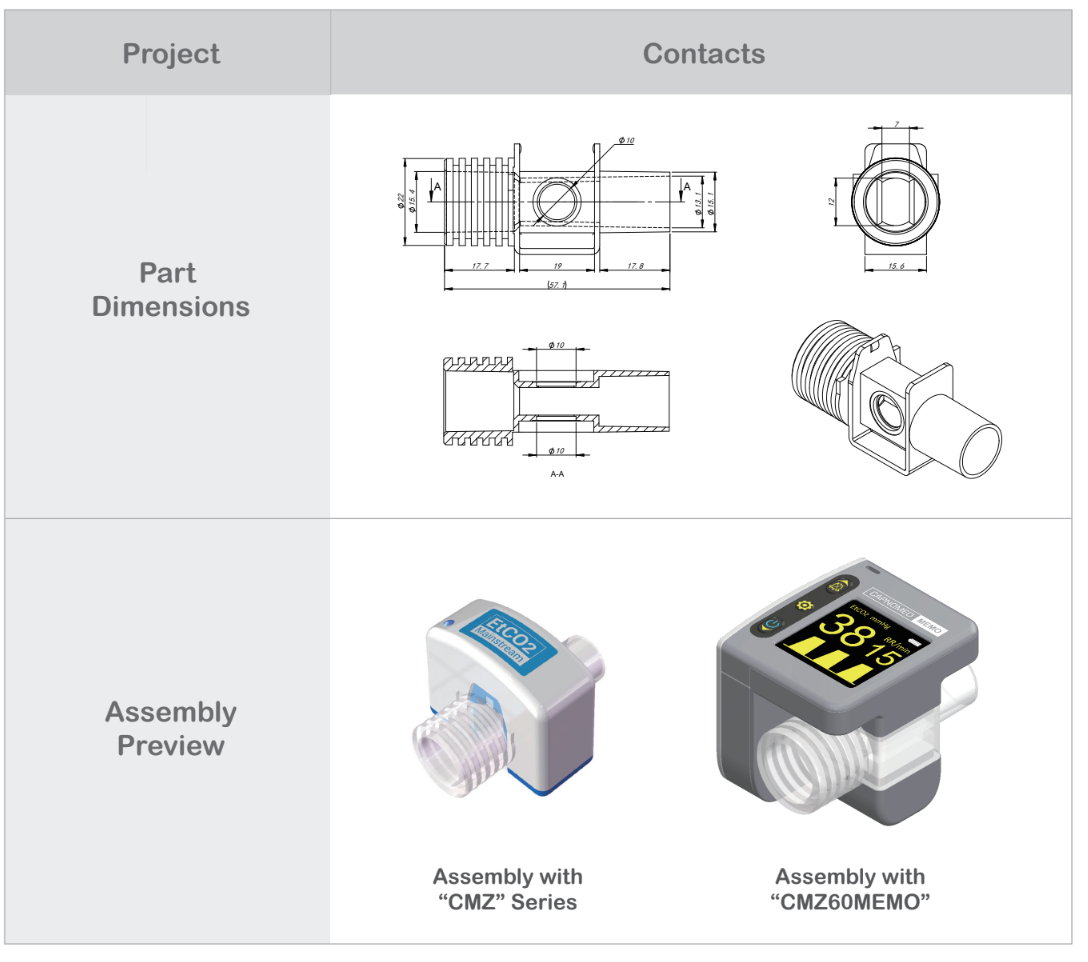
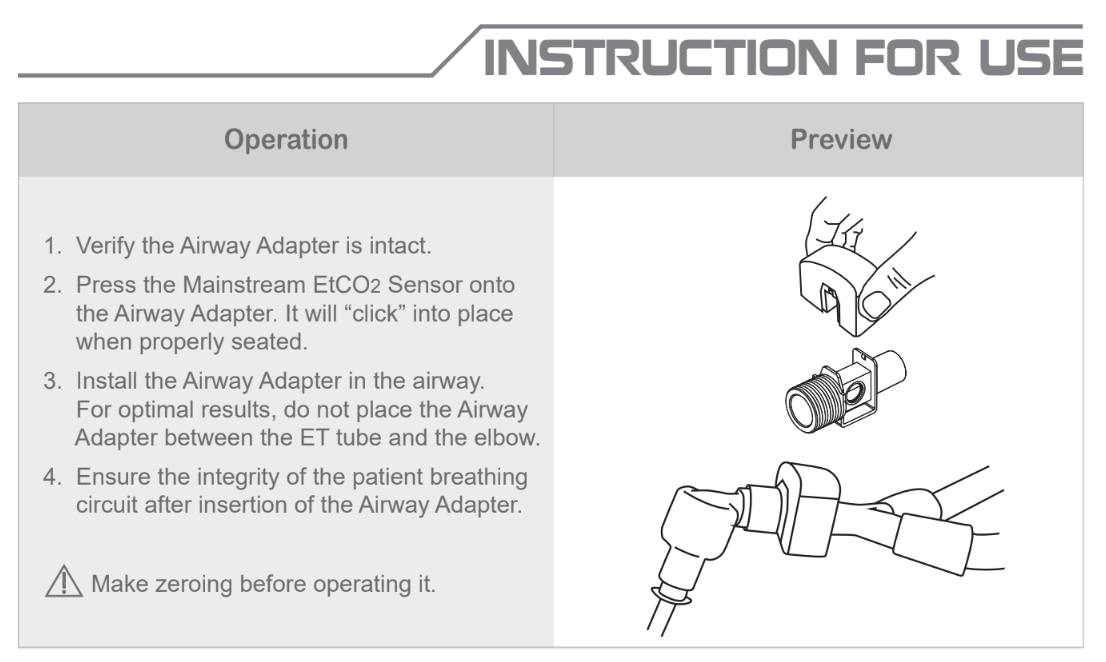
5. Zeroing the Sensor
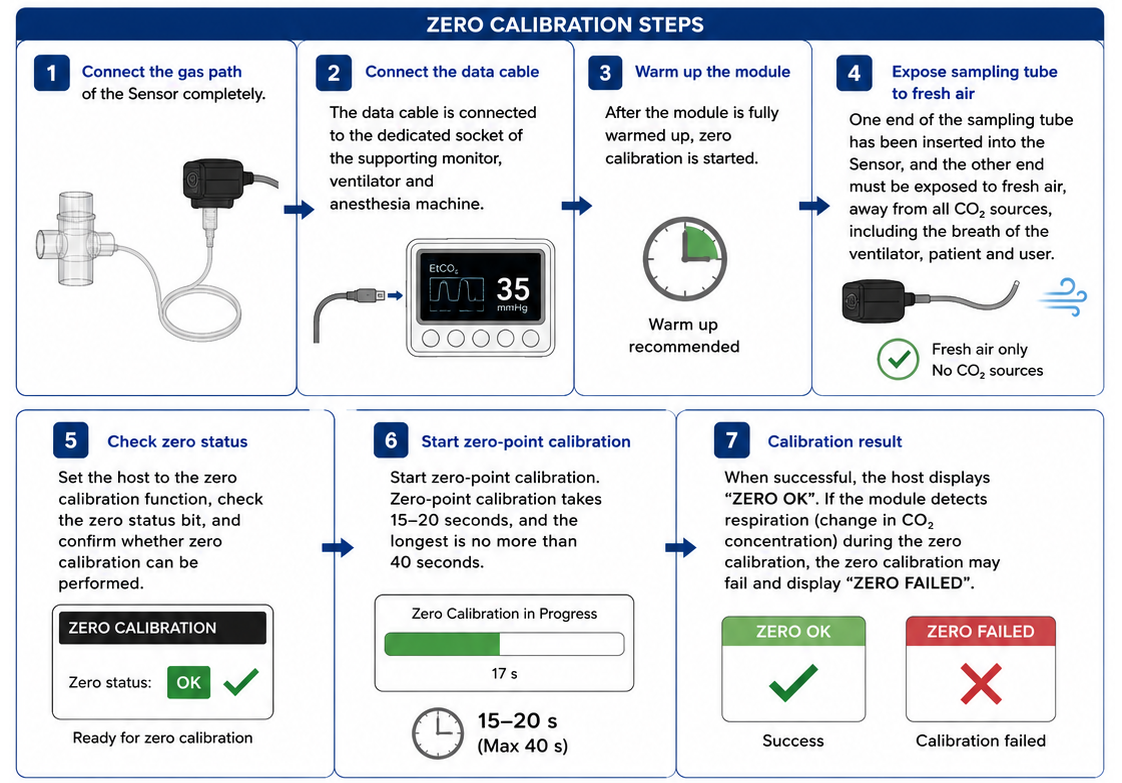
Main zeroing
- Connect the EtCO₂ Sensor and wait until the warm-up message clears.
- Connect the airway adapter and keep it away from CO₂ sources.
- Set the host device to zeroing.
- Allow the process to finish (approx. 15–20 seconds).
6. Capnography Display and LED Status
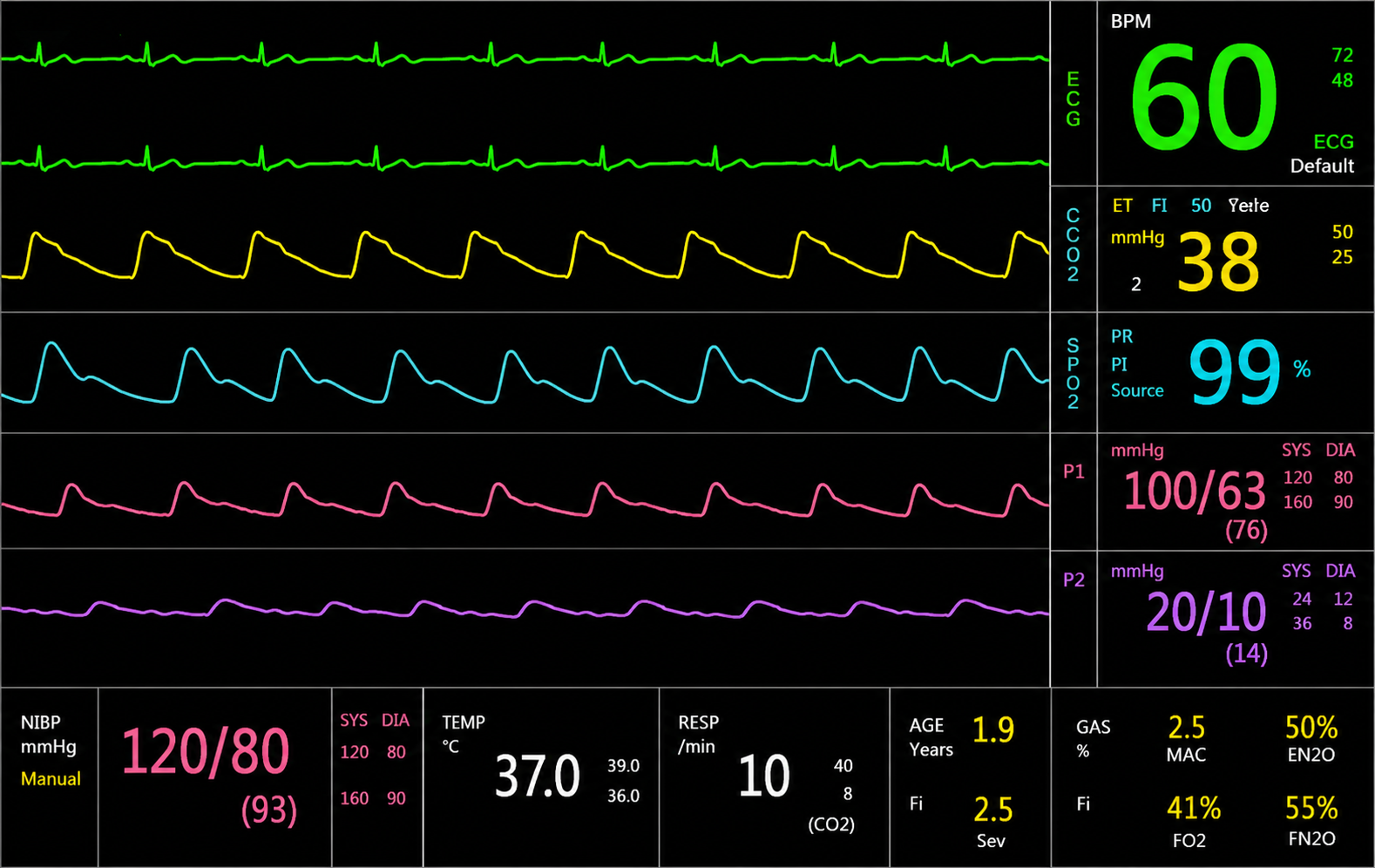
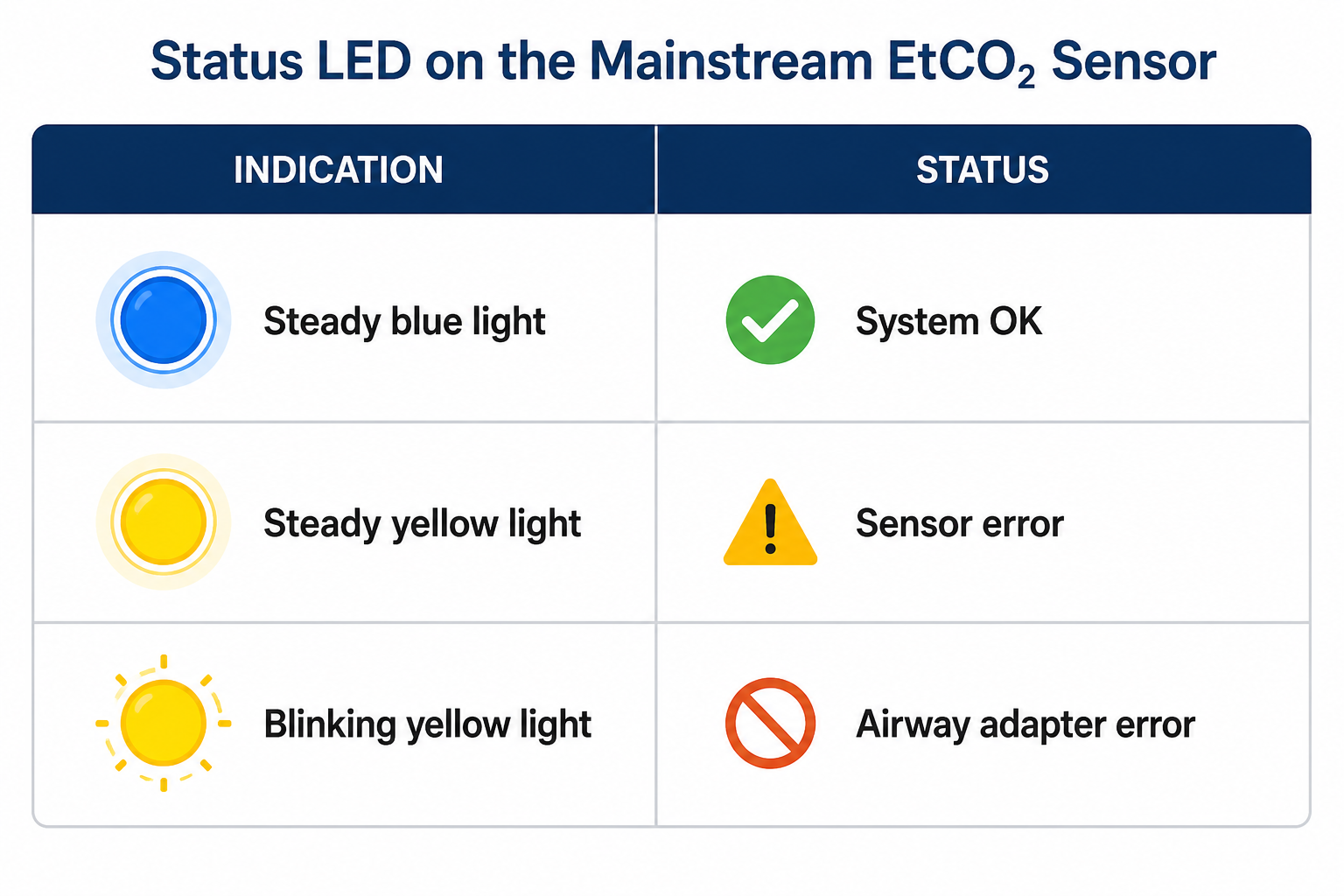
10. Complete Original IFU Page Archive
Every source page is included below at high resolution.